Add to Chrome for free
Free extension for Chrome and Edge

Stop typing the same things twice.

FillOwl types your repeated replies, fills forms in one click, carries details between websites and brings back text you lost. All from one browser extension.

No accountNo adsData stays on your device
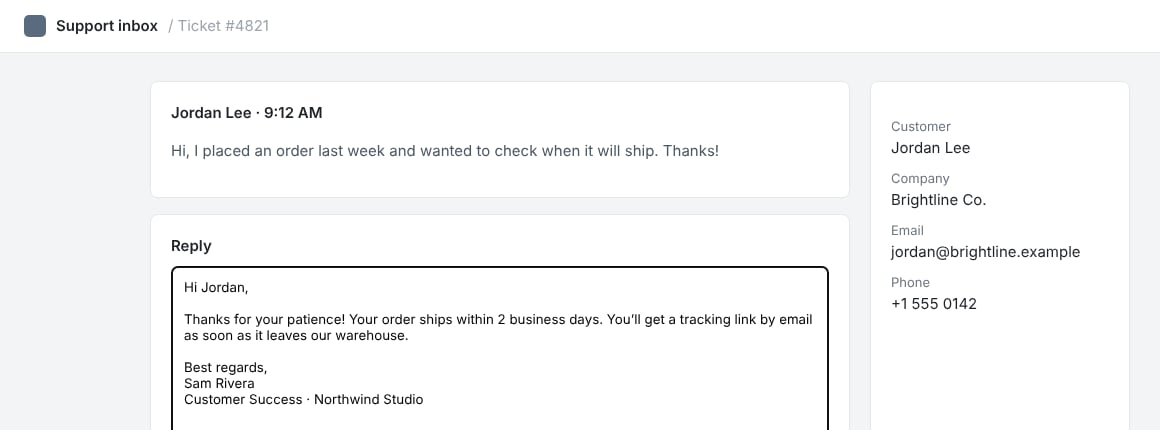
support.example.com/tickets/4821
A support reply written by typing the /ship shortcut in FillOwl
Type /ship and the whole reply appears.
Unlimitedsnippets on the free plan
0 serverseverything stays in your browser
1 clickto fill a whole form
Text Blazesnippets import in seconds
How it works

Set it up once. Use it everywhere.

Setup takes about a minute. No account, nothing to configure.

1

Save what you repeat

Turn a reply, signature or address into a shortcut like /thanks. Add your details to an autofill profile.

2

Type the shortcut

In Gmail, a support desk, a CRM or any text box, the shortcut becomes the full text, with today's date and names filled in.

3

Fill forms in one click

Open a form, press Alt+Shift+A, check the preview and fill. FillOwl never submits for you.

Text expander

Your best replies, one shortcut away

Keep every message you write often as a snippet. Dates, names and cursor position fill themselves in.

  • Unlimited snippets, folders, tags and favorites
  • Fill-in fields like {input:Name} and date math like "in 2 days"
  • Warns you about clashing shortcuts before they cause trouble
  • Press Backspace right after an expansion to undo it
More about the text expander →
Try it. This box runs the real FillOwl expander
/thanks/addr/meet
Smart autofill

Forms that fill themselves, after you check them

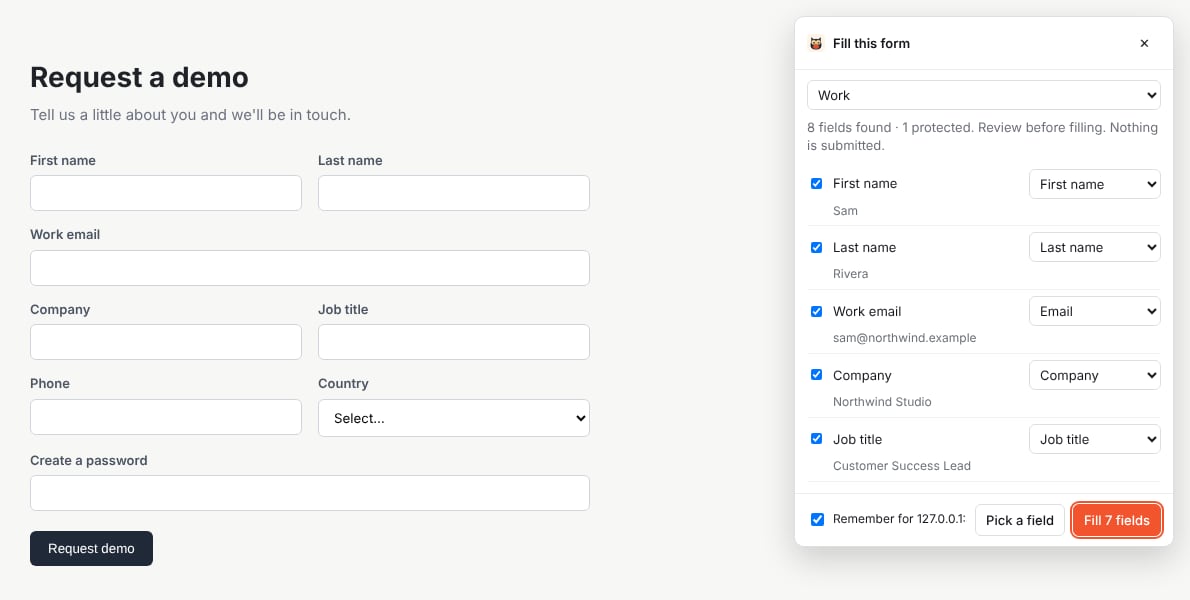
FillOwl reads each field's label and hints, matches it to your profile and shows you a preview before anything changes.

  • Multiple profiles for work, personal and clients
  • Remembers your corrections on each site
  • Works with modern and multi-step forms
  • Never fills passwords, cards or one-time codes
More about smart autofill →
example.com/request-demo
The FillOwl fill panel previewing matches on a demo request form
Data transfer

Copy a contact once, fill it anywhere

Select a block of details (an email signature, a CRM record, a ticket) and FillOwl turns it into fields for the next form. Try it here.

  • Runs on your device with fixed rules, no AI
  • Edit or copy any value before filling
  • Captured data deletes itself after 24 hours
More about data transfer →
Paste or edit text. Fields are extracted on this page, not on a server
Captured fields
And there's more

The small things that save the most time

Draft recovery

Refreshed the page halfway through a long message? FillOwl puts it back. Only on sites you approve.

Learn more →

Clipboard workspace

Pin the links, IDs and addresses you paste every day, then insert them with one click.

Learn more →

Bring your snippets

Import from Text Blaze, TextExpander or any spreadsheet. Your folders come with you.

Learn more →
Free plan

Everything that runs on your device is free

No trial, no snippet limit, no credit card. Paid plans will add cloud sync later; the free features stay free.

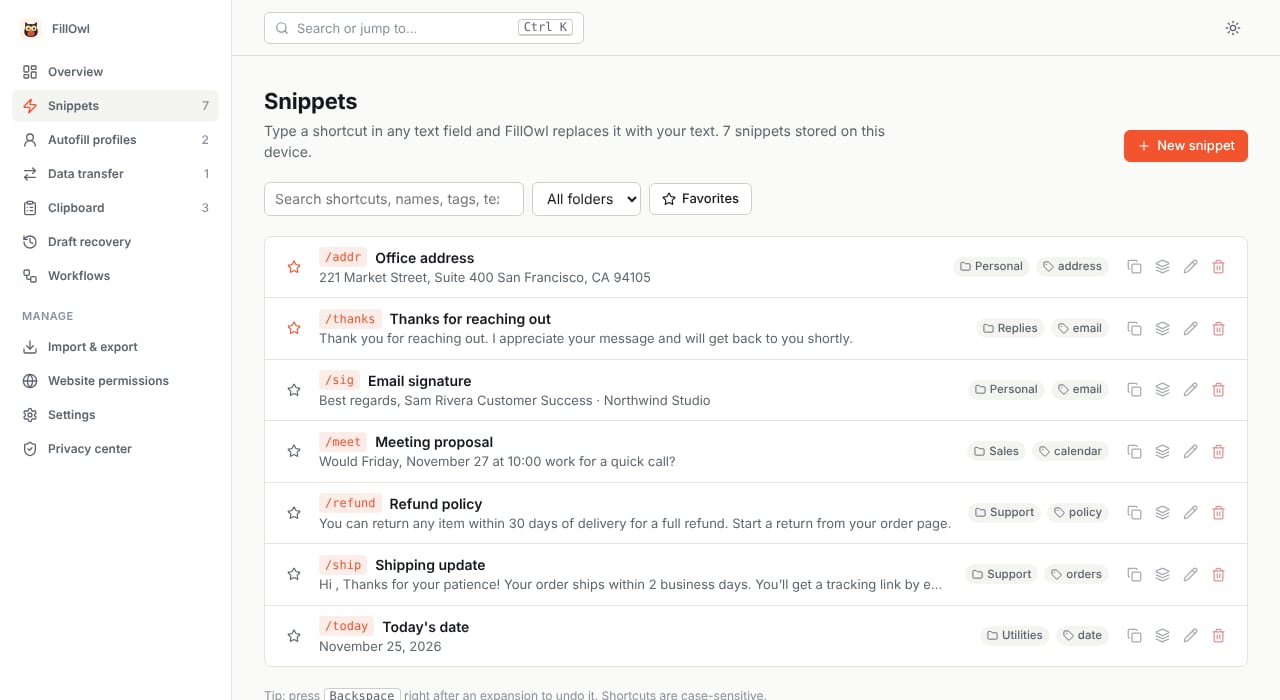
FillOwl dashboard
The FillOwl dashboard listing saved snippets

Do it once. Never repeat it.

Set up your first shortcut in about a minute.

Add to Chrome for free